
How to Choose a 3D Printer: A Practical Buying Guide
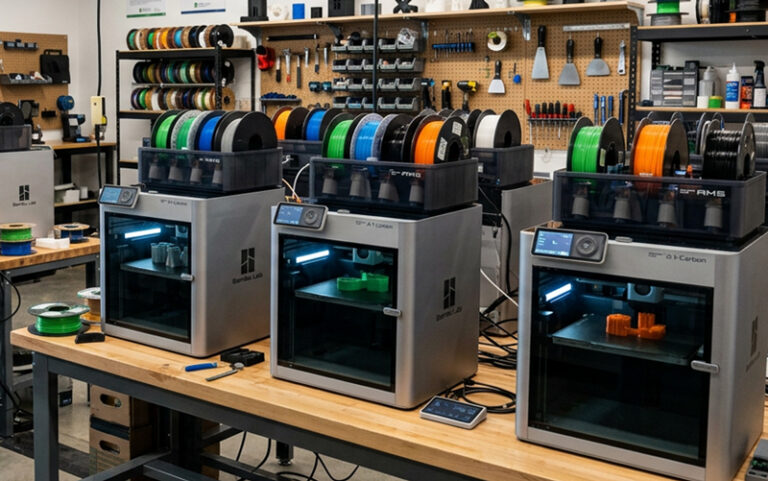
Choosing a 3D printer starts with the parts you want to make. A printer for colorful desk models has different requirements than one for functional prototypes, classroom projects, or production parts. Define the job first, then compare printer technology, materials, build area, ease of use, and available support.
Start with what you want to make
Write down a few representative projects. Consider the part’s size, detail, strength, flexibility, and how many copies you may need. A small decorative model, a replacement bracket, and a detailed miniature place very different demands on a printer.
Also consider how often you expect to print. A printer used occasionally at home may call for different features than equipment used daily in a school lab or business. Your intended use helps narrow down the choices before you get lost in specifications.
Compare printer technologies
Many desktop 3D printers use material extrusion, often called FDM or FFF. They feed filament through a heated nozzle and build the part layer by layer. Resin printers use light to cure liquid photopolymer, which can suit projects where fine detail is important. Larger or more specialized production needs may call for other processes.
The National Institute of Standards and Technology describes 3D printing as building parts layer by layer from a digital design, and outlines several additive manufacturing technologies. The right process depends on the part and its requirements, not just the printer’s headline resolution. NIST: What is additive manufacturing? NIST: Additive manufacturing technologies
Match the material to the part
Think about whether your part needs to be rigid, flexible, heat resistant, or simply look good on a shelf. Common filament families include PLA, PETG, ABS, and TPU, but material names alone do not tell the whole story. The printer must support the material, and print settings and part design affect the result.
Before choosing a printer, check the manufacturer’s material guidance. Confirm what the machine can handle and whether the required accessories or operating conditions are part of your setup.
Check size, workflow, and support
Compare the printer’s usable build area with your real project dimensions. A larger build volume can help with bigger parts, but it may take more space and require more material. Consider the whole workflow too: preparing files, changing materials, managing multiple users, and getting help when the printer needs attention.
For a first printer, an approachable setup and responsive support can matter as much as a long feature list. Schools and businesses may also want to ask about training, maintenance, spare parts, and how equipment can be managed across a group.
Make the choice around your needs
There is no single best 3D printer for everyone. Choose based on the parts you plan to make, the materials those parts require, the amount of printing you expect, and the support you’ll need to keep the printer useful.
Browse 3D printers at 3D Herndon or contact the team for help comparing options for your projects.