What Is 3D Scanning? How a Physical Object Becomes a Digital Model
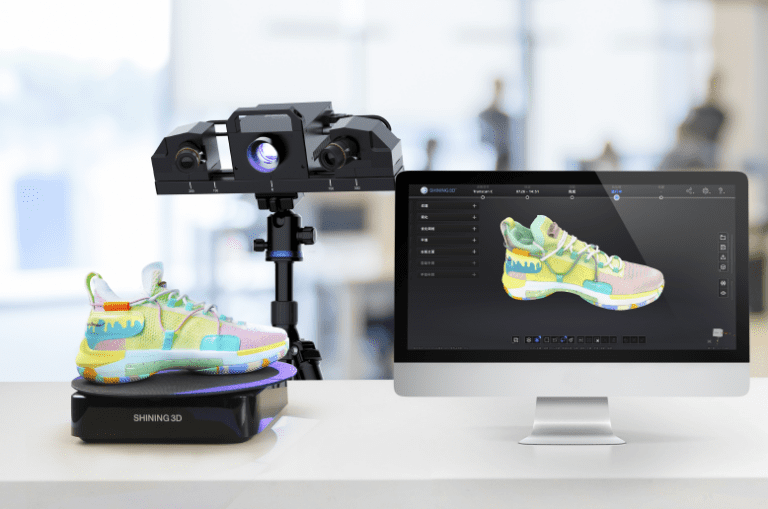
3D scanning captures the shape of a physical object and turns it into digital data. That data can help document an object, guide a redesign, support reverse engineering, or become part of a 3D printing workflow. A scan is often a useful starting point, though it may need cleanup or CAD work before it is ready for manufacturing.
How 3D scanning works
A scanner records surface information from an object and combines the measurements into a digital representation, often a point cloud or mesh. The specific scanning method and setup depend on the object’s size, surface, geometry, and the level of detail required.
Before scanning, it helps to describe the project goal. Are you trying to reproduce an object, check its dimensions, preserve its shape digitally, or modify it? The answer affects the scanning approach and what needs to happen to the data afterward.
A scan is not always a finished CAD file
A scan may create a mesh that represents the object’s surface. A mesh can be useful for visualization, reference, or some 3D printing workflows, but an editable parametric CAD model may require additional modeling. Autodesk’s reverse engineering workflow, for example, describes cleaning scan data and using it as reference geometry to rebuild a model in CAD. Autodesk Support: Reverse engineering a 3D scan into a CAD model
This distinction matters when you need to change dimensions or features. If your goal is simply to make a copy, a mesh may be enough. If you need to redesign the object, the scan may be one stage in a scan-to-CAD process.
When 3D scanning can help
3D scanning may be useful when an object is difficult to measure manually, when you need to capture a complex shape, or when a physical part is the main reference for a replacement or redesign. It can also support restoration, documentation, and custom 3D printing projects.
The object and intended use matter. Highly reflective, transparent, very dark, or intricate surfaces may require extra consideration. Discussing the object in advance helps determine whether scanning is suitable and what output you need.
Prepare for a scanning project
Before requesting a 3D scanning service, gather a few details:
Approximate object dimensions and weight
Material and surface finish
Whether the object can be brought to the scanning location
The intended use of the scan
The file format or downstream software requirements, if known
A clear project brief helps the scanning team recommend a practical path from the physical object to usable digital data.
Think beyond the scan
The goal is not simply to create a digital copy; it is to create data that supports your next step. Explain what you want to do with the model so the scanning and any follow-up design work can be planned accordingly.
CTA: Learn about 3D scanning services at 3D Herndon and contact the team to discuss your object and project goals.